Инструкция по эксплуатации Rekam iLook S850i
Страница 80
Advertising
Note:
At step 6, you can press Shutter button and exit to Camera mode.
Print
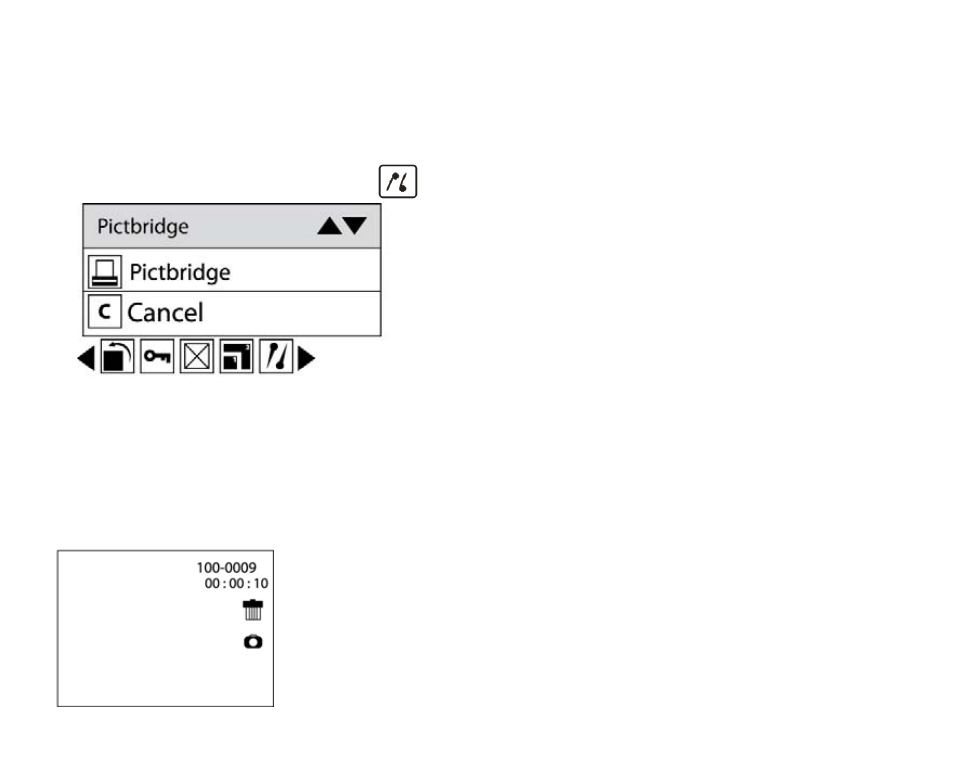
Your camera allows you to print the photos with printer. The operation as below:
1. Select a photo you want to print.
2. Press Menu button.
3. Press Right/Left button to select icon
, the function menu as below:
4. Press Up/Down button to select Pictbridge: to print photo, Cancel: to exit menu.
5. Press Menu button or Function button A to enter Pictbridge mode and the LCD will show:” please connect
to device”.
6. Connect your camera to compatible printer with USB cable correctly for printing.
7. Press Menu button to exit if you do not want to print.
Operation for AVI file
Select an AVI file you want to play.
27
Advertising