Инструкция по эксплуатации Rekam iLook S850i
Страница 78
4. Press Menu button or Function button A. A lock icon
will be shown on the LCD.
At step 3, select “Unlock” and press Menu button or Function button A to unlock the current file.
Note: You can press Function button B to exit in each menu.
Delete
Delete unwanted photos and videos at any time to free up memory. You can delete one image or video clip at
a time or delete all the unprotected photos and videos that are currently recorded on the memory card at
once.
1. Press Menu button.
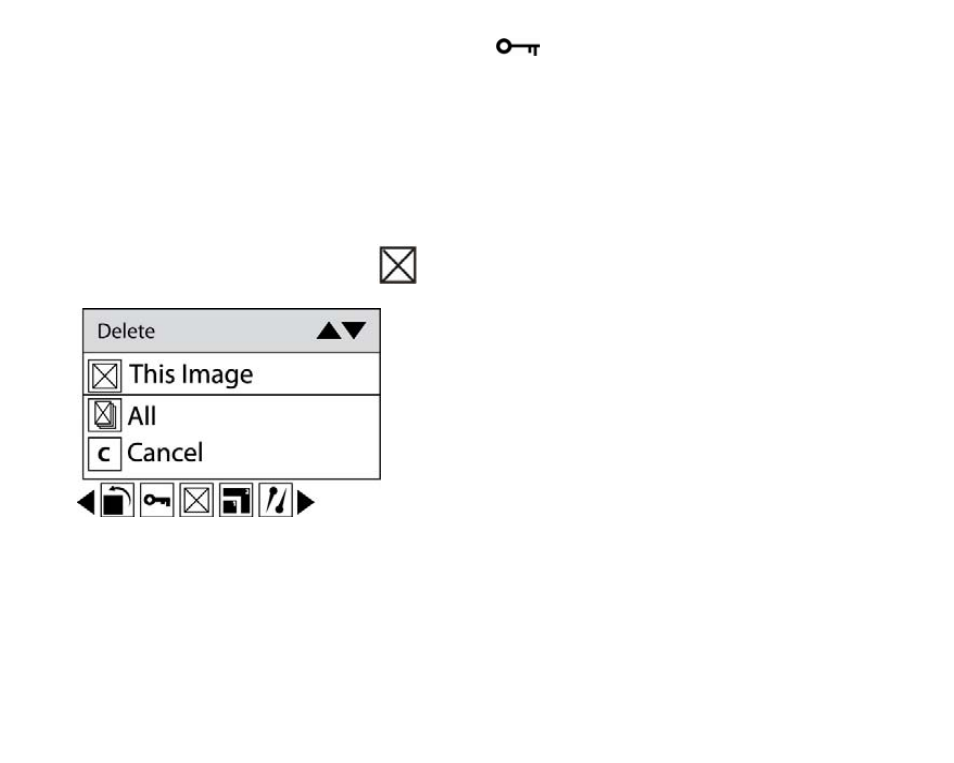
2. Press Right/Left button to select icon
, the function menu as below:
3. Press Up/Down button to select: This image/This Video (depends on your file selection): delete current
photo you selected; ALL: delete all unprotect photos; Cancel to exit.
4. Press Menu button or Function button A to confirm.
5. Press Right/Left button to select “Yes” or “No”.
6. Press Menu button or Function button A to confirm deletion.
Note: For quickly delete one file in playback mode, you can follow the below steps:
25
1. Select a file you want to delete.
2. Press Function button A.