Инструкция по эксплуатации Rekam iLook S850i
Страница 62
Press the Flash button repeatedly. The
icon will appear on the LCD screen. This means the flash
function has been "forced on" (manual flash). If the flash is not ready, a red LED will light up beside the LCD
screen and the
icon will flash repeatedly- wait until the flash is ready before taking a photo. A “low battery”
warning will appear on the LCD screen if there is insufficient battery power to operate the flash.
Press the Flash button repeatedly until
icon will show on the LCD indicating that the Red-Eye reduction
is on.
Press the Flash button repeatedly until the
icon appears. This will turn off the flash function.
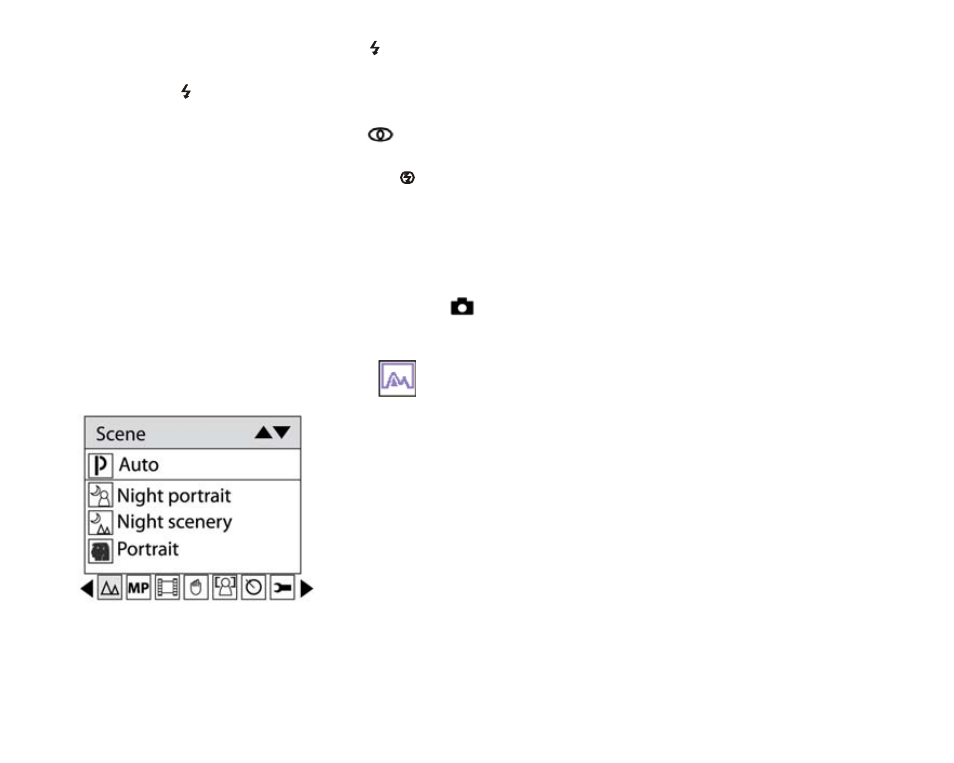
Scene
Your camera supplies scenes for you to take photos in any environment nearly, there is abundant scene
included with your camera. Such as Auto, Night Portrait, Night Scenery, Portrait, Scenery, Sport, Party, Beach,
High Sensitivity. You can choose your best scenery according to your light and environment conditions.
Press Power button to turn on your camera – the
icon will appear on the left top of your LCD screen.
1. Press Menu button.
2. Press Right/Left button to select icon
, the function menu as below:
3. Press Up/Down button to select scenery per your light condition and environment.
4. Press Menu button or Function button A to confirm.
Note:
9