Инструкция по эксплуатации Rekam iLook S850i
Страница 64
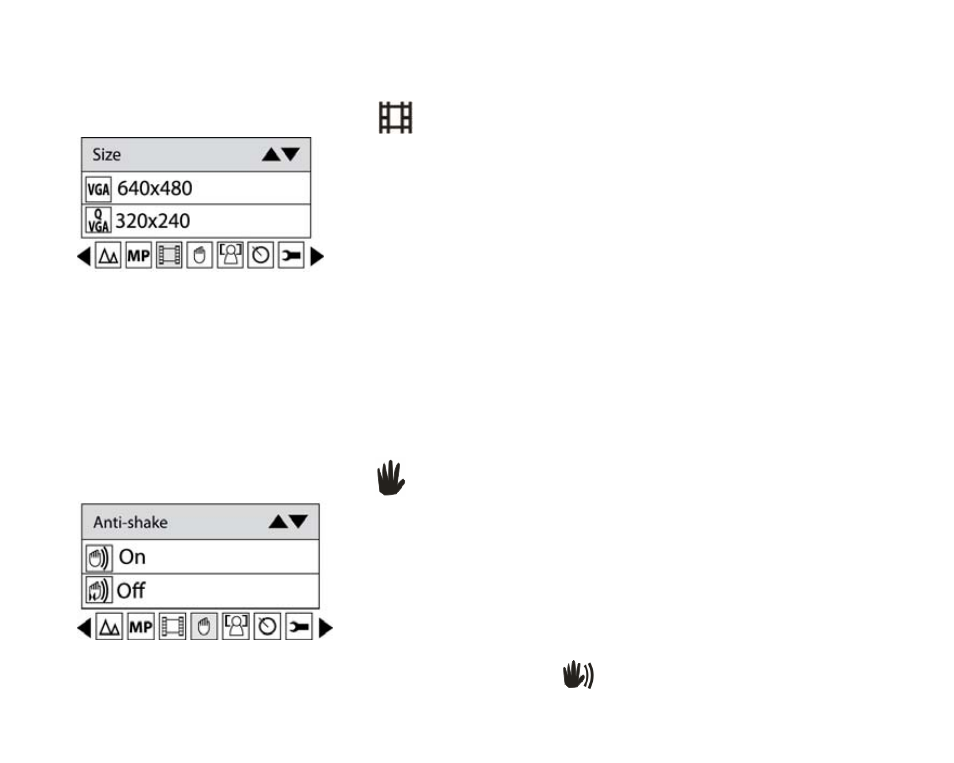
Video Size
You can select different Video size (640x480 pixels; 320x240pixels) for shooting videos.
1. Press Menu button.
2. Press Right/Left button to select icon
, the function menu as below:
3. Press Up/Down button to select a video size per your request.
4. Press Menu button or Function button A to confirm.
Note: You can press Function button B to exit in each menu.
Anti-Shake
Your Digital Camera has a function that prevents some blurry photos from trembling when taking photo.
Because of this function, you are not required to use a tripod for steady shooting photos. To set as below:
1. Press Menu button.
2. Press Right/Left button to select icon
, the function menu as below:
3. Press Up/Down button to select On.
11
4. Press Menu button or Function button A to confirm. The icon
will appear on the LCD screen.
Note: You can press Function button B to exit in each menu.