Инструкция по эксплуатации Rekam iLook S850i
Страница 65
Advertising
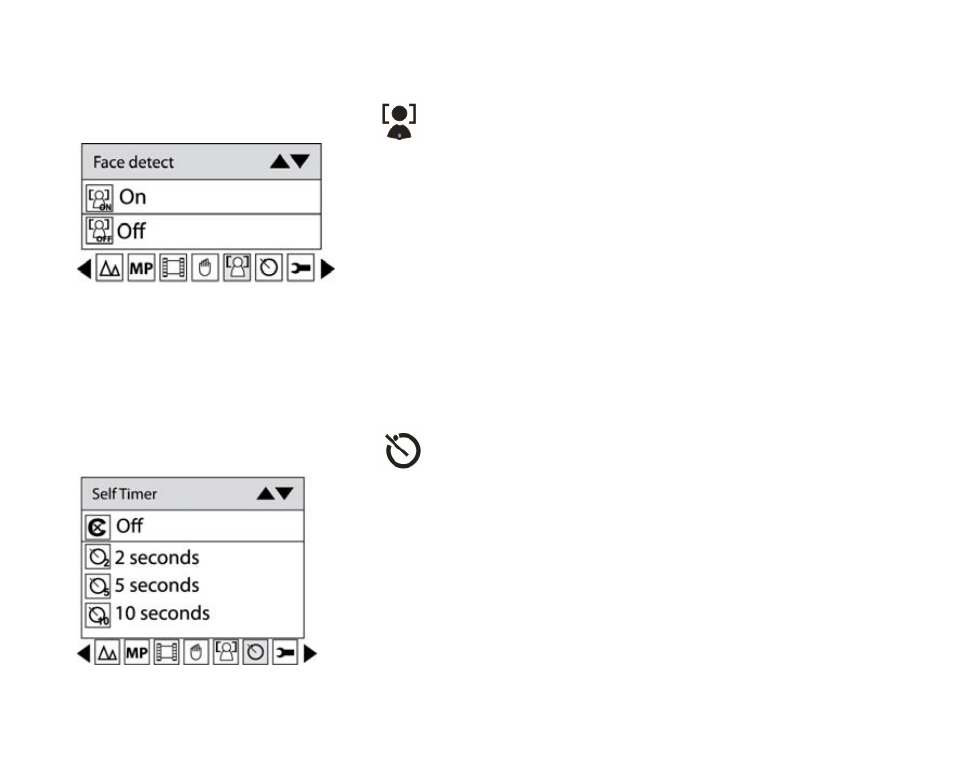
Face Detect
Your camera supports face detecting that allows you to take best photos.
1. Press Menu button.
2. Press Right/Left button to select icon
on the LCD, the function menu as below:
3. Press Up/Down button to select On.
4. Press Menu button or Function button A to confirm.
Self-Timer
You can include yourself in a photo by using this feature to delay the time between your pressing the shutter
and when the photo is actually taken.
1. Press Menu button.
2. Press Right/Left button to select icon
, the function menu as below:
3. Press Up/Down button to select 2, 5 or 10 seconds count down shooting or you can select Off to turn off.
4. Press Menu button or Function button A to confirm.
12
Advertising