Automatic programming – Инструкция по эксплуатации Beko ET 5614 HX
Страница 49
Внимание! Текст в этом документе был распознан автоматически. Для просмотра оригинальной страницы Вы можете воспользоваться режимом "Оригинал".
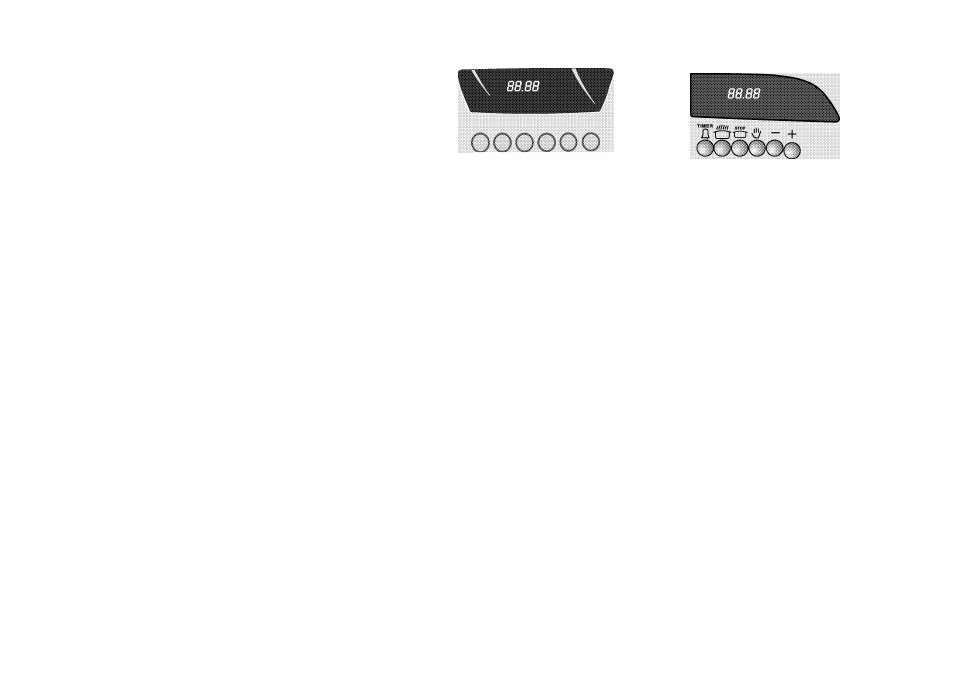
Automatic programming
The programmer will switch the oven on and off at
the required times.
Ensure the oven thermostat is in (off) position,
and the correct time has been set.
* Press the button to cancel any program stored.
(Auto and "S" symbol will not be displayed)
* Press the "S" button and press “+” (or “-”)
buttons, to set the stop time required.
(tzT and
"AUTO”
will be displayed)
* Press the "o" button and press button to set
the cooking time (duration) required.
* Set the oven knob to the required cooking
temperature and place your food in the oven.
* The oven will switch on at the required time, cook
the food and switch off at the predetermined time.
* At the end of cooking the alarm will bleep and
"AUTO”
will flash. To turn off the alarm press the
"S" button.
Press "v!!>" button to cancel
"AUTO”.
* Set the oven thermostat and function selection
knob to the
“1“ (off)
mark.
Note: Make sure you follow food manufacturer's
instructions.
* Press the "S" button to view the remaining cooking
time during cooking.
a S s ^ - +
Some models, there is only one knob to adjust the stage
of cooking.
Make your adjustments by using this knob.
Timer alarm
The timer alarm can be adjusted to bleep between ‘0’ and 23 hours 59
minutes.
*
Press the
"T"
button, press the
“+” or
buttons to set the desired
alarm time.
* The timer alarm will bleep at the end of the time period.
* To turn off the alarm press the "S"button.
How to cancel automatic programme
* Press "o" button, press "-" button until the clock display shows
"0:00”
* Press " <!>" button, the programme has now been cancelled.
* The current time can then be reset.
Some models, there is only one knob to adjust the stage of cooking.
Make your adjustments by using this knob.
14