Function table, 17 i en – Инструкция по эксплуатации Beko OIE 25500 X
Страница 17
Внимание! Текст в этом документе был распознан автоматически. Для просмотра оригинальной страницы Вы можете воспользоваться режимом "Оригинал".
r
10
m
Oven will switch off automaticaily
within 10 seconds if no oven
setting is made on this screen.
Temperature, cooking time, cooking
end time and booster can be set in this
position.
1. Slightly turn the button no. 1 to left
or right so that the desired function;
2. You can adjust the desired
temperature by slightly twisting the
button 2 towards + and
» Your oven will readily start operating
in the desired function and will
increase the inner temperature to the
set temperature.
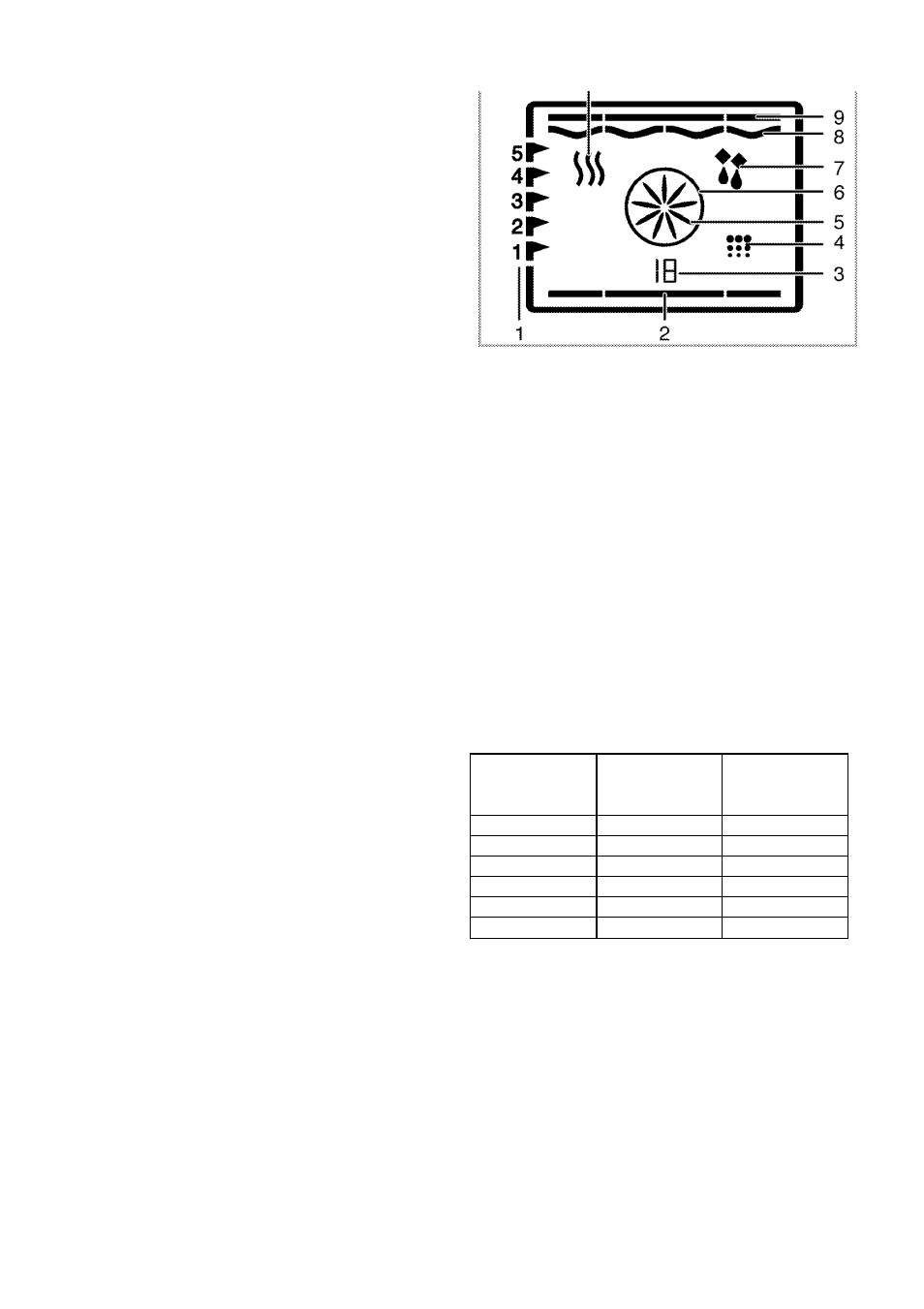
» Active heaters and suggested tray
position appear on the function display.
» If no temperature setting is made
previously, then the suggested
temperature for the selected function
is indicated on the temperature display.
Function table contains the functions
that can be used as well as minimum
and maximum temperatures that can
be selected in the oven.
1
Shelf position
2
Bottom heater
3
Function number
4
Cleaning position
5
Turbo fan
6
Turbo heater
7
Defrost position
8
Griii heater
9
Upper heater
10 Warm keeping
*
Functions can vary depending on the
product model!
Function table:
Function
Suggested
temperature
rc)
Temperature
range (°C)
Static
200
40-280
Static + fan
175
40-280
Griii
280
40-280
Low griii
280
40-280
Bottom heater
180
40-220
Warm keeping
60
40-100
Maximum time that can be set for
cooking period is limited with 6
hours at positions apart from
keeping warm due to safety
reasons. In case of power cut,
program will be canceled.
Reprogram is needed.
17 I EN