Downloading mp3 fi les to iaudio – Инструкция по эксплуатации COWON iAUDIO M3
Страница 40
iAUDIO M3
40
Downloading MP3 fi les to iAUDIO
Downloading MP3 fi les to iAUDIO
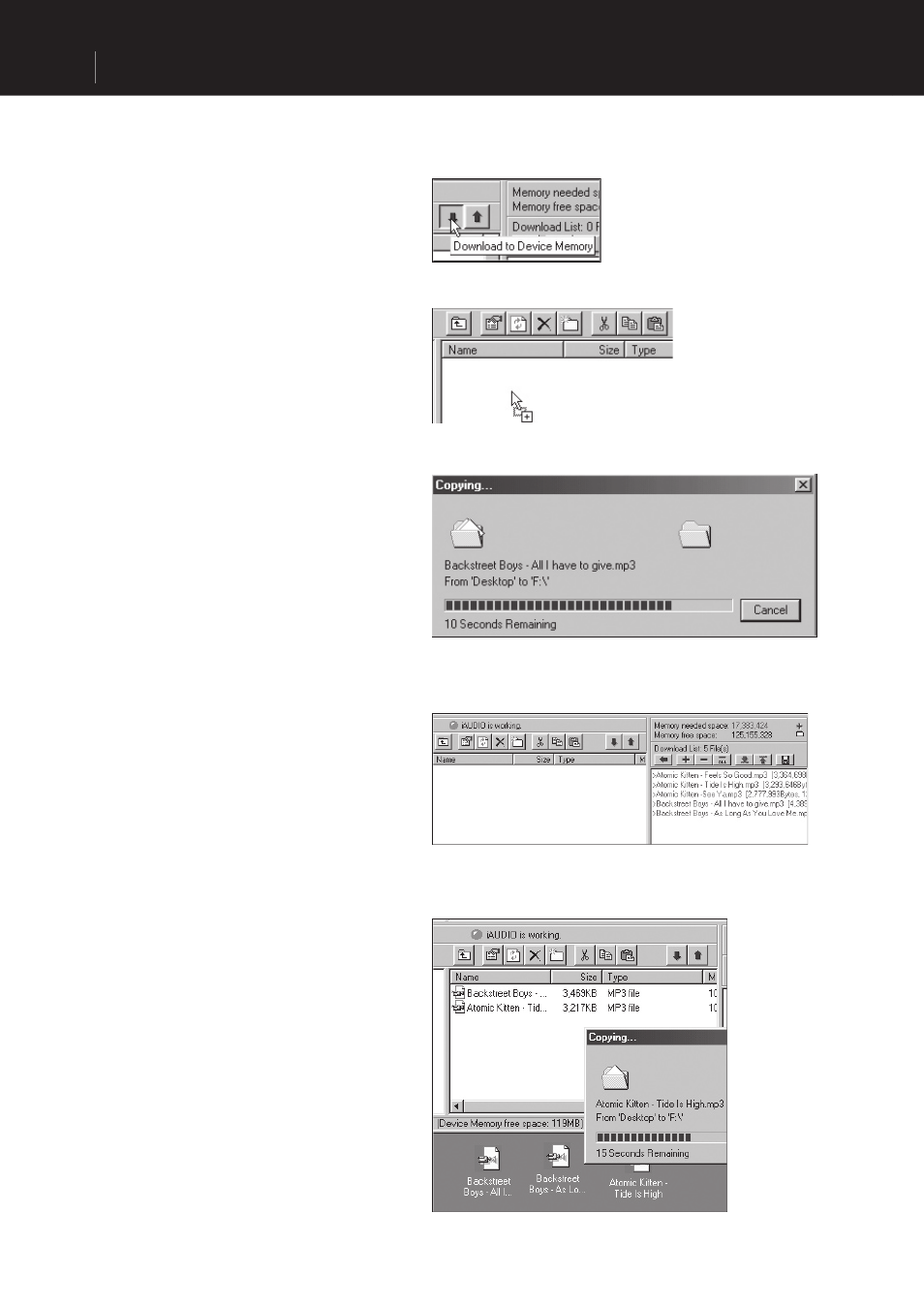
1. Downloading sound fi les to iAUDIO is very
simple. Select fi les to download from the ‘File
Management Section’ and click on the down
arrow.
2. Or you can also drag and drop the selected
fi les from the ‘File Management Section’ to
the window at the bottom as if you were using
Windows Explorer.
3. The following window shows the fi le
downloading process.
The backlight turns on during fi le download.
Never disconnect the USB cable while the
backlight is turned on.
4. Another method is to enter the fi les in the
‘Download List’ window as shown below before
downloading.
This is useful when you wish to enter fi les in
different folders with the + button and then
download them all at once.
5. You can also download the fi les existing outside
of JetShell by dragging and dropping them onto
the ‘Memory’ Window.