Jetshell confi guration, The whole picture – Инструкция по эксплуатации COWON iAUDIO M3
Страница 37
iAUDIO M3
37
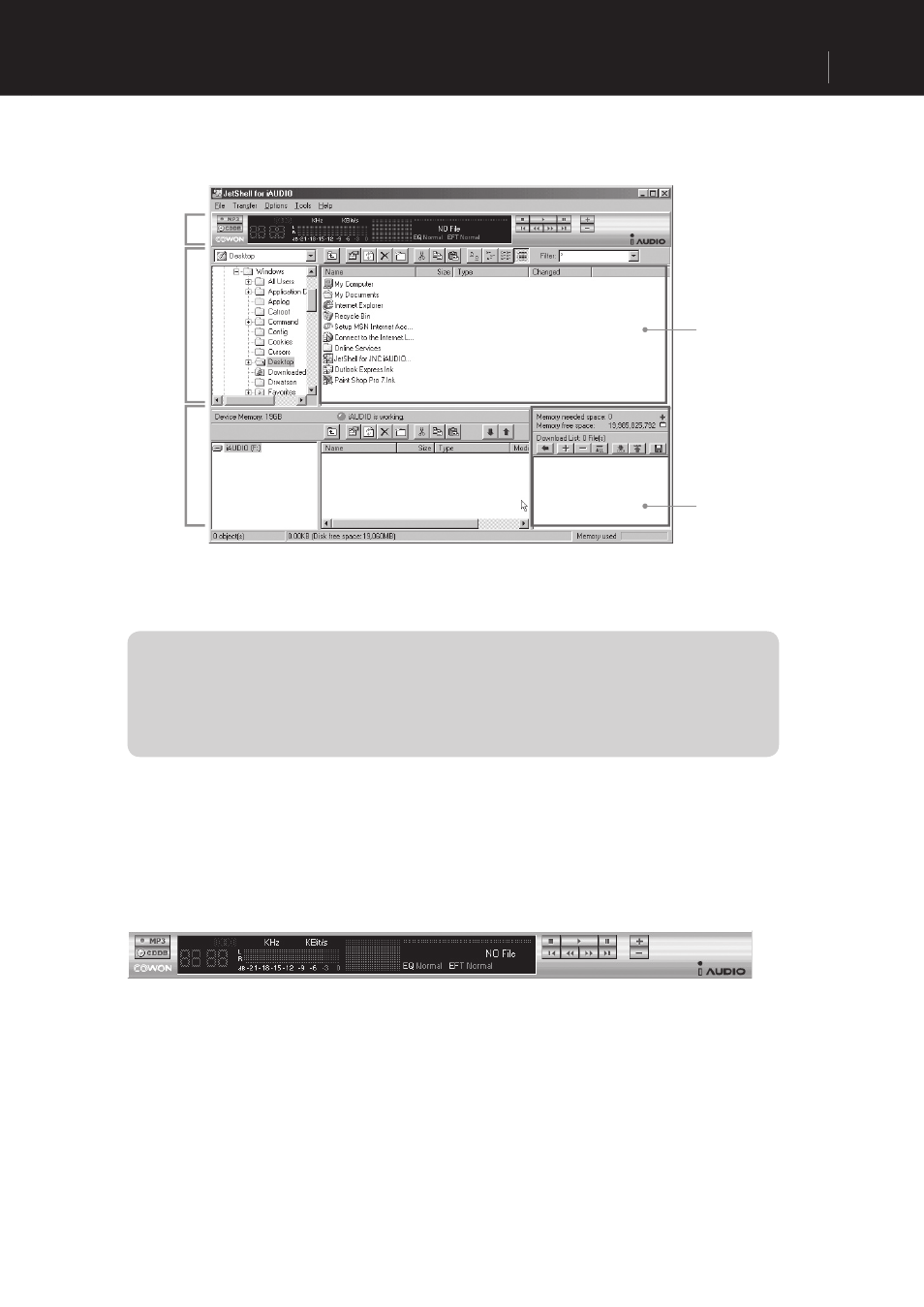
JetShell Confi guration
The Whole Picture
Play and
MP3
Management
Section
File
Management
Section
Memory
Management
Section
File
Management
Window
Download List
Management
Section
When JetShell is activated, it controls the iAudio drive. Therefore, you should exit JetShell before performing the following
tasks.
• Installing the USB drive
• Formatting in Windows Explorer
• Upgrading the fi rmware
Playing MP3, MP2, WAV, WMA, ASF, Audio CD, and Play List (m3u)
Double click an MP3, MP2, WAV, WMA, ASF, Audio CD fi le, or Play List (m3u) in the ‘File
Management’ Window, or drag and drop the fi le on the ‘Player’ shown above. Then the fi le starts
playing. In addition, you can also select multiple fi les and then press the ‘Play’ button. On the black
screen in the middle, the progress bar and song names of the selected tracks scroll to the left, and two
types of spectrum screens appear.
You can start and stop playing the fi le with the buttons at the right, and adjust the volume with the + and
- buttons. To skip instantly to a specifi c position of the track being played, click on the position bar.