Инструкция по эксплуатации Hyundai H-CMMD4044
Страница 25
Внимание! Текст в этом документе был распознан автоматически. Для просмотра оригинальной страницы Вы можете воспользоваться режимом "Оригинал".
strongest available stations to the 6 preset memories of the current band. To stop auto store, press this
button again.
RDS (Radio Data Service) function
Note:
RDS service availability varies with areas. Please understand if
RDS service is not available in you area, the following service is not
available, either.
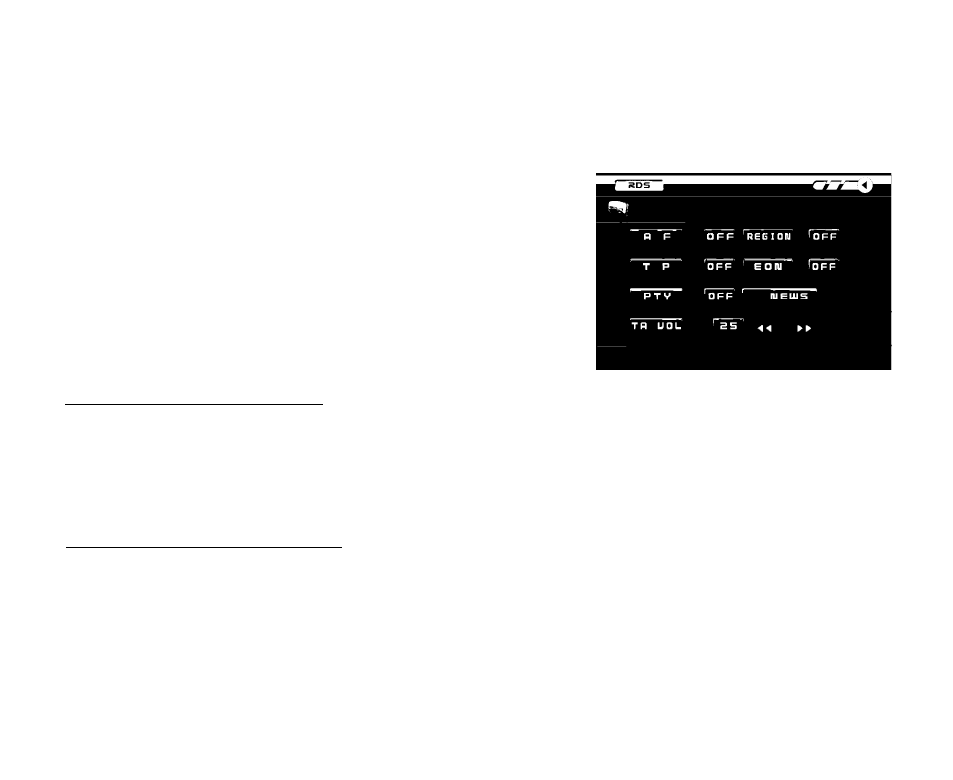
Press AF, INT/PTY or TP/LOUD buttons on the RC, or press
touchable RDS MENU button to enter the RDS menu.
AF (Alternative Frequencies) function
Press AF/TA button on the panel or AF button on the RC or on the touchable screen to turn on or off the AF
function. Turn REG function on to make your receiver accept regional variants of the tuned stations. If RDS
service is not available in your area, turn off the AF mode. Default setting is ON for AF and OFF for REG
functions.
TP function/TA (Traffic Alarm) function
Press TP/LOUD button on the RC or touchable TP button in the RDS mode screen or press and hold AF/TA
button on the unit to turn on or off the TP function. When TA or TP RDS signal is available from the current
station, TP icon is turned on. When TA/TP is enabled (ON) but no traffic announcement is transmitted TA icon
is off and TP icon is on. When TA/TP is enabled (ON), but no RDS signal, TP icon keeps blinking.
25