Transferring files to a pc (windows) – Инструкция по эксплуатации Samsung ST10
Страница 10
Advertising
10
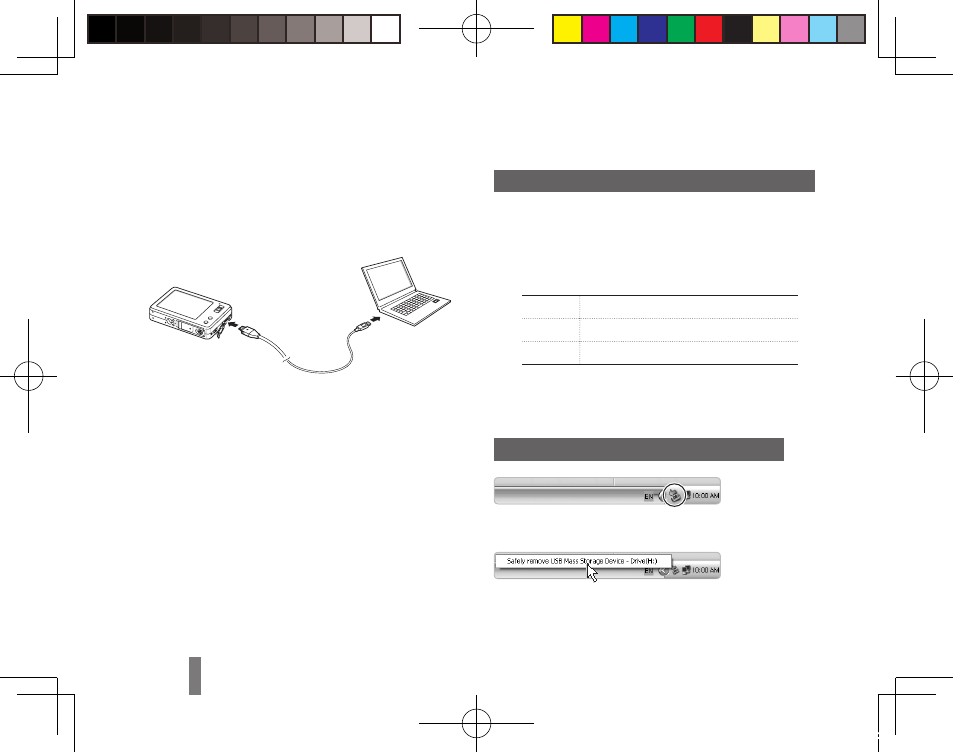
Transferring files to a PC (Windows)
Insert the installation CD in a CD-ROM drive
1
and follow the onscreen instructions.
Connect the camera to the PC with the USB
2
cable.
Turn on the camera.
3
On your PC, select
4
My Computer →
Removable Disk → DCIM → 100SSCAM.
Select the files you want and drag or save them
5
to the PC.
Transferring multimedia files to the camera
Create new folders named “MP3,” “PMP,” and
1
“TEXT” in My Computer → Removable Disk.
Copy multimedia files to the corresponding
2
folders.
MP3
MP3 files
PMP
SDC files*
TEXT
TXT files
* Convert with Samsung Converter
Disconnecting safely (for Windows XP)
Click
▼
Click
Morse93_EUR2.indb 10
2009-05-12 오전 11:50:03
Advertising