Operation – Инструкция по эксплуатации Hyundai H-CMMD4049
Страница 10
Advertising
10
Operation
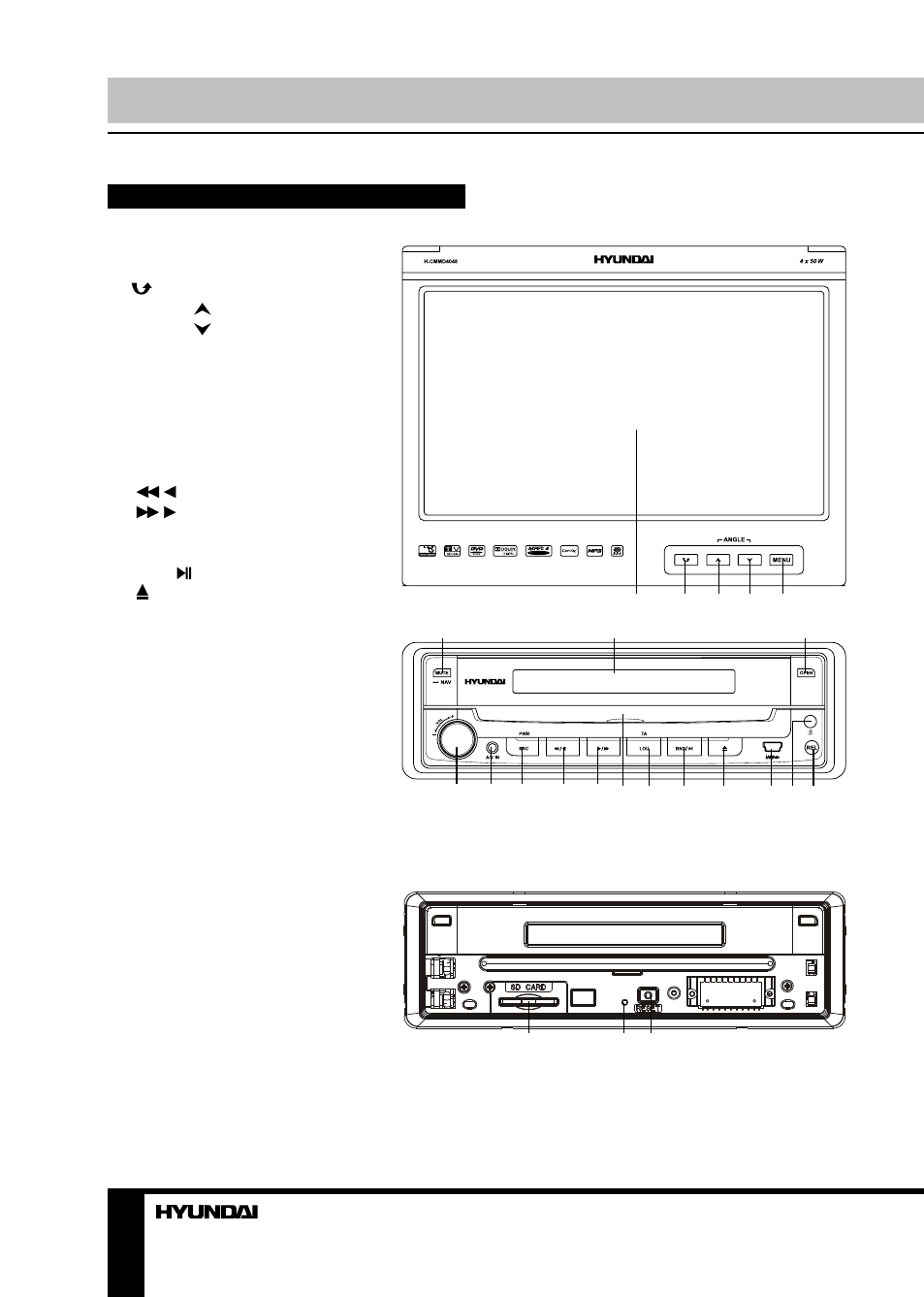
Control elements
Front panel
1. TFT display
2.
button
3. ANGLE button
4. ANGLE button
5. MENU button
6. MUTE/NAV button (option)
7. LCD display
8. OPEN button
9. VOL regulator/SEL button
10. A/V input
11. PWR/SRC button
12.
/ button
13.
/ button
14. Disc slot
15. TA/LOU button
16. BND/ button
17. button
18. USB port
19. IR sensor
20. REL button
Not indicated: GPS card slot (option)
on the right side of the monitor
1
2
3
4
5
Inner panel
1. Memory card slot
2. Panel status indicator
(flashes when the panel is detached)
3. Reset button (hole)
1
2 3
6
7
8
9
10 11
12 13
15
14
16
17
18 19 20
H-CMMD4049
Advertising