Use the multi-touch function – Инструкция по эксплуатации Lenovo A800 Smartphone
Страница 7
Advertising
7
Use the multi-touch function
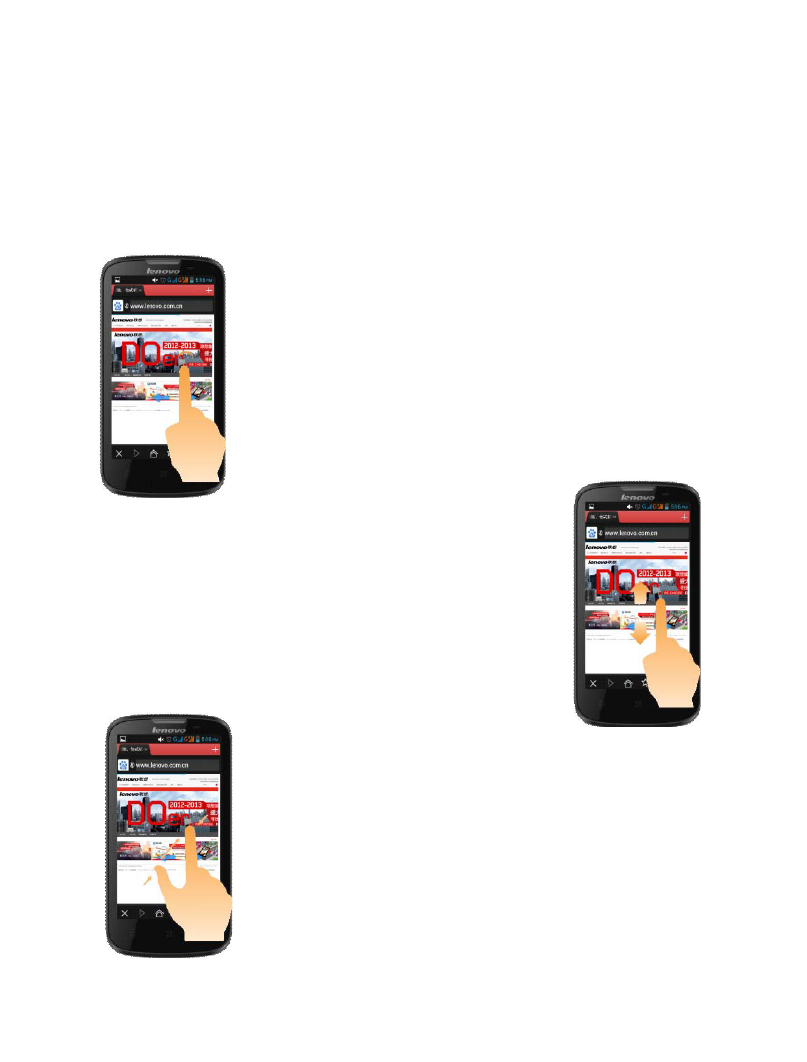
The multi-touch function enables you to perform various operations
on the screen.
Open an application
Open an application: Tap the
icon of this application on the
screen. By clicking home key,
you can return to the home
screen.
Scroll
Scroll the screen by dragging
up or down on the content.
Zoom in or out
You can zoom in or out a map
or web page while viewing it.
To do so, just move your two
fingers apart or together.
Advertising
Посмотрите также другие документы по категории Сотовые телефоны Lenovo:
- S660 Smartphone (6 страниц)
- S660 Smartphone (23 страницы)
- S930 Smartphone (6 страниц)
- S930 Smartphone (21 cтраница)
- A526 Smartphone (22 страницы)
- A526 Smartphone (6 страниц)
- S850 Smartphone (66 страниц)
- S850 Smartphone (17 страниц)
- S856 Smartphone (64 страницы)
- S856 Smartphone (17 страниц)
- A536 Smartphone (17 страниц)
- A536 Smartphone (61 cтраница)
- K900 Smartphone (21 cтраница)
- K900 Smartphone (14 страниц)
- S890 Smartphone (56 страниц)
- A859 Smartphone Lenovo (30 страниц)
- A859 Smartphone Lenovo (6 страниц)
- A606 Smartphone (64 страницы)
- A606 Smartphone (17 страниц)
- S960 Smartphone (6 страниц)
- S960 Smartphone (23 страницы)
- S820 Smartphone (28 страниц)
- A680 Smartphone (6 страниц)
- A680 Smartphone (23 страницы)
- A516 Smartphone (18 страниц)
- A516 Smartphone (6 страниц)
- K910L Smartphone (25 страниц)
- K910L Smartphone (6 страниц)
- P770 Smartphone (56 страниц)
- A850 Smartphone (22 страницы)
- A850 Smartphone (6 страниц)
- A60+ Smartphone (32 страницы)
- P700i Smartphone (40 страниц)
- S880 Smartphone (40 страниц)
- S650 Smartphone (6 страниц)
- S650 Smartphone (21 cтраница)
- K920 Smartphone (68 страниц)
- A690 Smartphone (40 страниц)
- S720 Smartphone (32 страницы)
- A390 Smartphone (32 страницы)
- A328 Smartphone (61 cтраница)
- A328 Smartphone (17 страниц)
- A316i Smartphone (6 страниц)
- A316i Smartphone (24 страницы)
- S860 Smartphone (26 страниц)