Gravity sensor and multi-touch – Инструкция по эксплуатации Lenovo A800 Smartphone
Страница 6
Advertising
6
Gravity sensor and multi-touch
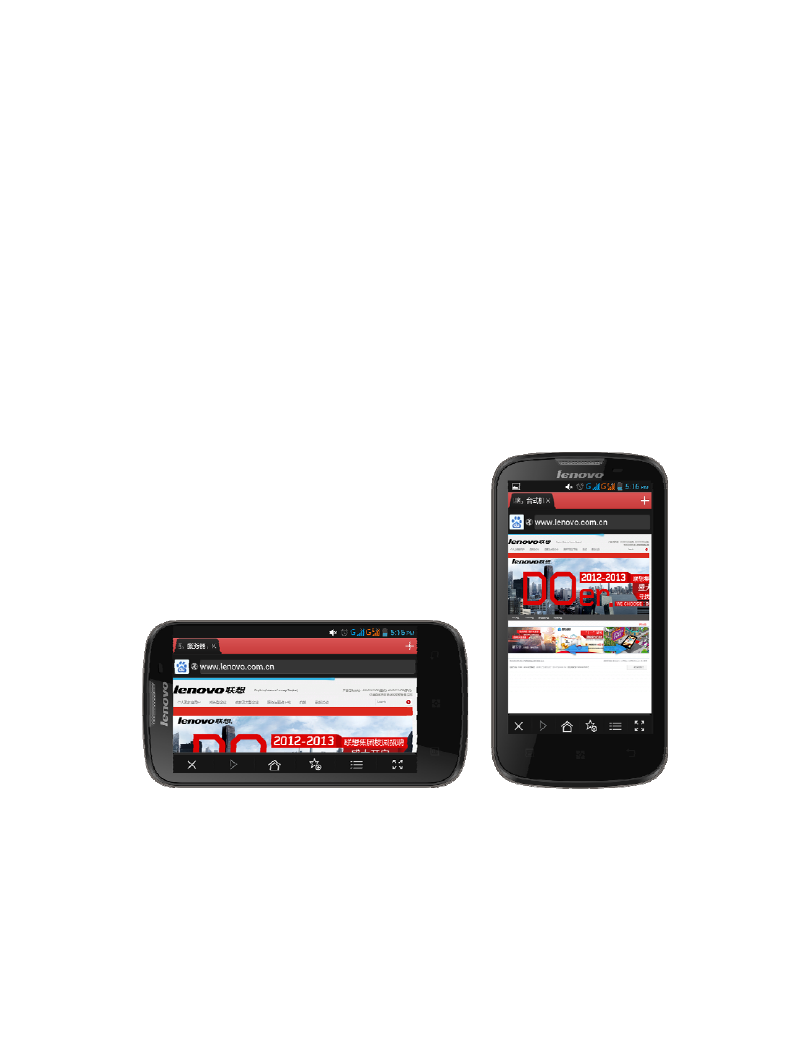
Auto rotate screen according to the rotation of the device. You can
lock the A800 screen in the current direction screen rotation lock
downward. To unlock the screen direction: Menu - System settings -
Display - Auto-rotate screen.
Use the A800 in the landscape or portrait mode
After launching one application, you can rotate the screen to your
preferred direction.
Advertising
Посмотрите также другие документы по категории Сотовые телефоны Lenovo:
- S660 Smartphone (23 страницы)
- S660 Smartphone (6 страниц)
- S930 Smartphone (6 страниц)
- S930 Smartphone (21 cтраница)
- A526 Smartphone (22 страницы)
- A526 Smartphone (6 страниц)
- S850 Smartphone (66 страниц)
- S850 Smartphone (17 страниц)
- S856 Smartphone (64 страницы)
- S856 Smartphone (17 страниц)
- A536 Smartphone (17 страниц)
- A536 Smartphone (61 cтраница)
- K900 Smartphone (21 cтраница)
- K900 Smartphone (14 страниц)
- S890 Smartphone (56 страниц)
- A859 Smartphone Lenovo (30 страниц)
- A859 Smartphone Lenovo (6 страниц)
- A606 Smartphone (64 страницы)
- A606 Smartphone (17 страниц)
- S960 Smartphone (23 страницы)
- S960 Smartphone (6 страниц)
- S820 Smartphone (28 страниц)
- A680 Smartphone (23 страницы)
- A680 Smartphone (6 страниц)
- A516 Smartphone (18 страниц)
- A516 Smartphone (6 страниц)
- K910L Smartphone (6 страниц)
- K910L Smartphone (25 страниц)
- P770 Smartphone (56 страниц)
- A850 Smartphone (6 страниц)
- A850 Smartphone (22 страницы)
- A60+ Smartphone (32 страницы)
- P700i Smartphone (40 страниц)
- S880 Smartphone (40 страниц)
- S650 Smartphone (6 страниц)
- S650 Smartphone (21 cтраница)
- K920 Smartphone (68 страниц)
- A690 Smartphone (40 страниц)
- S720 Smartphone (32 страницы)
- A390 Smartphone (32 страницы)
- A328 Smartphone (61 cтраница)
- A328 Smartphone (17 страниц)
- A316i Smartphone (6 страниц)
- A316i Smartphone (24 страницы)
- S860 Smartphone (26 страниц)