Инструкция по эксплуатации Samsung 710MP
Страница 20
Средства
управления
пользователя
Система
Экранных
Средства управления пользователя
Анимационные клипы с демонстрацией настройки экрана
Экран компьютера (режим PC)
|
крана просмотра видеозаписей (режим Video)
|
кран просмотра телевизионных программ (TV)
|
Управление экранным меню OSD
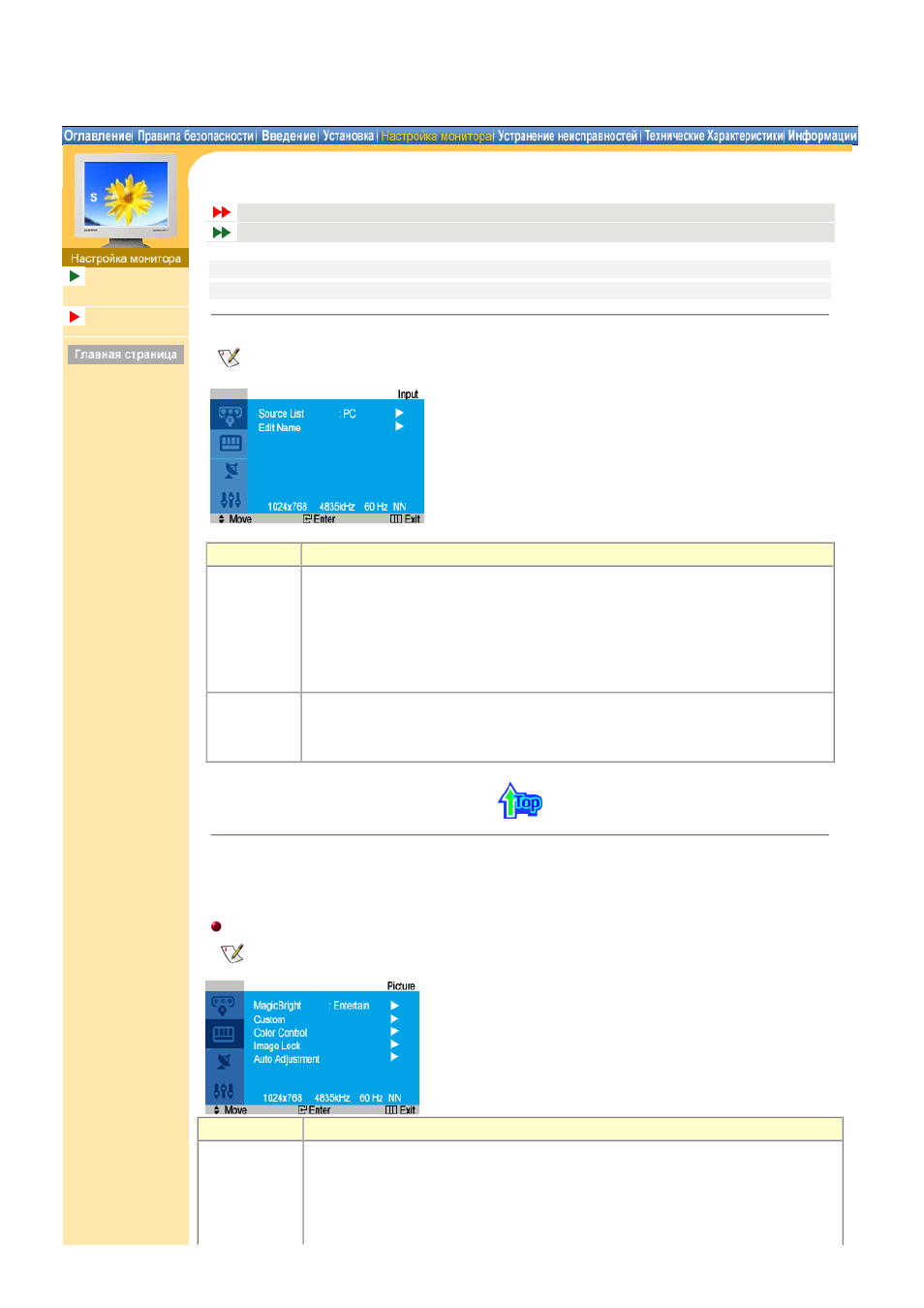
1. Input
For detailed information on Screen Adjustment in the Input Control, refer to
the Input Control
Adjustment Animation Clips
.
OSD
Содержание
Source List
Включает индикатор, соответствующий текущему входному сигналу, используемому
монитором.
• PC
• TV
• EXT.
• AV
• S-Video
Edit Name
Name the input device connected to the input jacks to make your input source selection
easier.
• - - - - / VCR / DVD / Cable STB / HD STB / Satellite STB / AV Receiver /
DVD Receiver / Game / Camcorder / DVD Combo / DHR / PC
2. Picture
PC Mode
For detailed information on Screen Adjustment in the Picture Control, refer to
the Picture Control
Adjustment Animation Clips
.
OSD
Содержание
MagicBright™ MagicBright™ is a new feature providing the optimum viewing environment depending on
the contents of the image you are watching.
Currently four different modes are available: Text, Internet, Entertain and Custom.
Each mode has its own pre-configured brightness value. You can easily select one of four
settings by simply pressing the MagicBright™ control button.
1) Entertain