Installation – Инструкция по эксплуатации LG M4410
Страница 89
Advertising
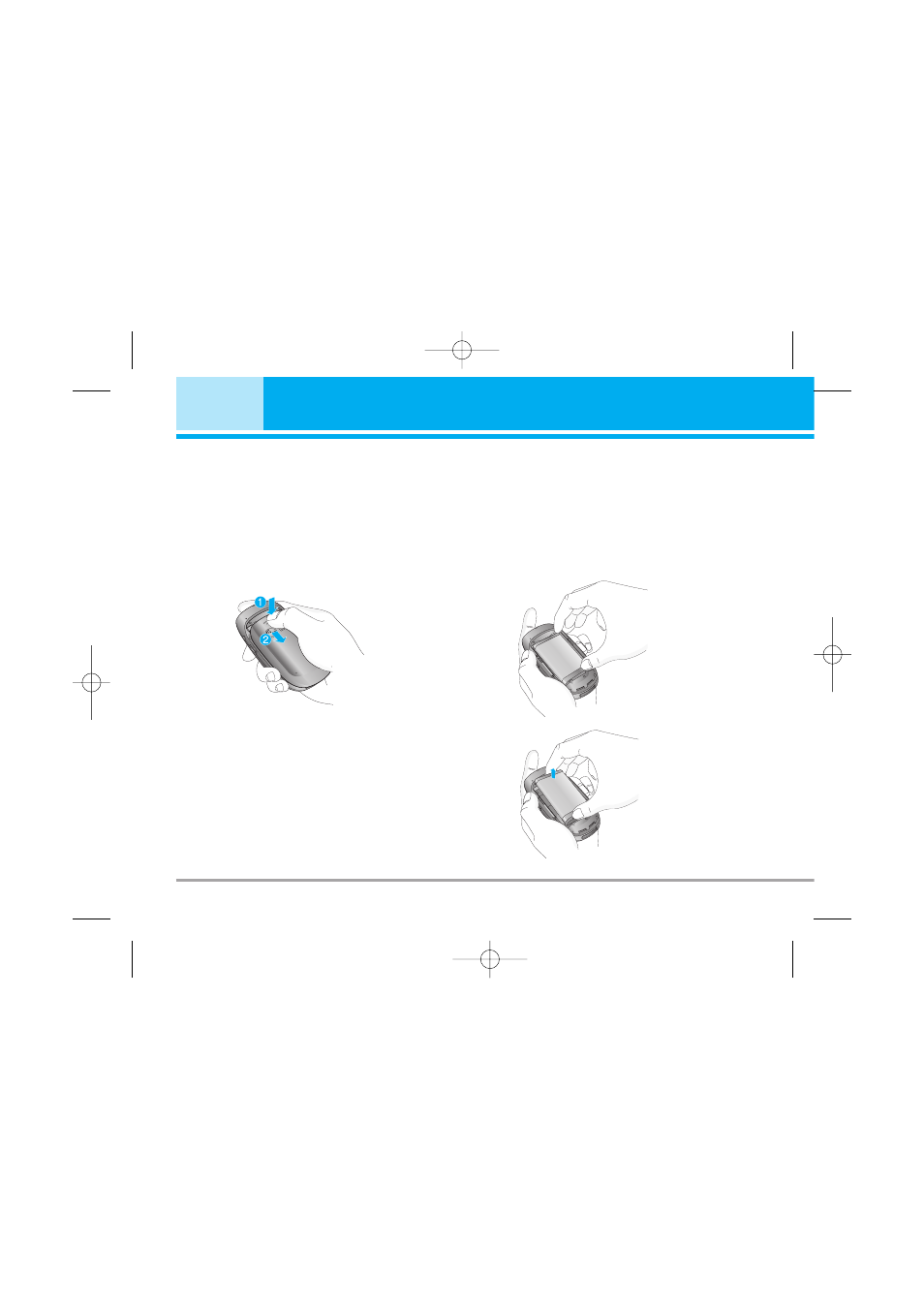
Installing the SIM card and the handset
battery
Make sure the power is off before you remove the battery.
1. Remove the battery cover.
Press the battery release latch and slide the battery
cover toward the bottom of the phone. And remove
the battery cover.
n
Note
Removing the battery from the phone when the
power is on may cause the phone to malfunction.
2. Remove the battery.
Hold the top edge of the battery and lift the battery
from the battery compartment.
16
M4410
Installation
M4410_Eng_050618 2005.6.18 6:33 PM Page 16
Advertising
Посмотрите также другие документы по категории Сотовые телефоны LG:
- C1150 (160 страниц)
- KM900 (170 страниц)
- B1200 (53 страницы)
- KG320 (177 страниц)
- 510W (103 страницы)
- KG225 (153 страницы)
- 500 (89 страниц)
- W7020 (98 страниц)
- BL40 (114 страниц)
- W3000 (108 страниц)
- KG110 (121 cтраница)
- G1800 (90 страниц)
- KG810 (254 страницы)
- KG810 (255 страниц)
- G5300 (103 страницы)
- P7200 (245 страниц)
- P7200 (168 страниц)
- KG300 (161 cтраница)
- KE500 (113 страниц)
- KE820 (145 страниц)
- KE600 (101 cтраница)
- C2100 (121 cтраница)
- G7000A (97 страниц)
- KE850 (74 страницы)
- G7020 (100 страниц)
- KG210 (153 страницы)
- KG270 (2 страницы)
- KG200 (151 cтраница)
- G7100 (100 страниц)
- KG280 (104 страницы)
- KP500 (84 страницы)
- KP500 (99 страниц)
- KE770 Shine (229 страниц)
- KE970 (131 cтраница)
- C3600 (140 страниц)
- L342i (165 страниц)
- B2250 (129 страниц)
- KE800 (97 страниц)
- B2070 (153 страницы)
- 601 (88 страниц)
- W5300 (102 страницы)
- W5200 (112 страниц)
- T320E (91 cтраница)
- GS107 (23 страницы)