Инструкция по эксплуатации JVC KD-G357
Страница 3
ENGLISH
3
CONTENTS
Control panel —
KD-G447/KD-G357
........ 4
Getting started ................................. 5
Basic operations .................................................... 5
Radio operations .............................. 6
FM RDS operations ............................ 7
Searching for your favorite FM RDS programme ... 7
Disc/USB device operations ............... 10
Playing a disc in the unit ...................................... 10
Playing from a USB device ..................................... 10
Sound adjustments ........................... 13
General settings — PSM ................... 14
Other external component
operations .................................... 16
Remote controller — RM-RK50 ......... 17
More about this unit ......................... 18
Maintenance .................................... 21
Troubleshooting ............................... 22
Specifications ................................... 24
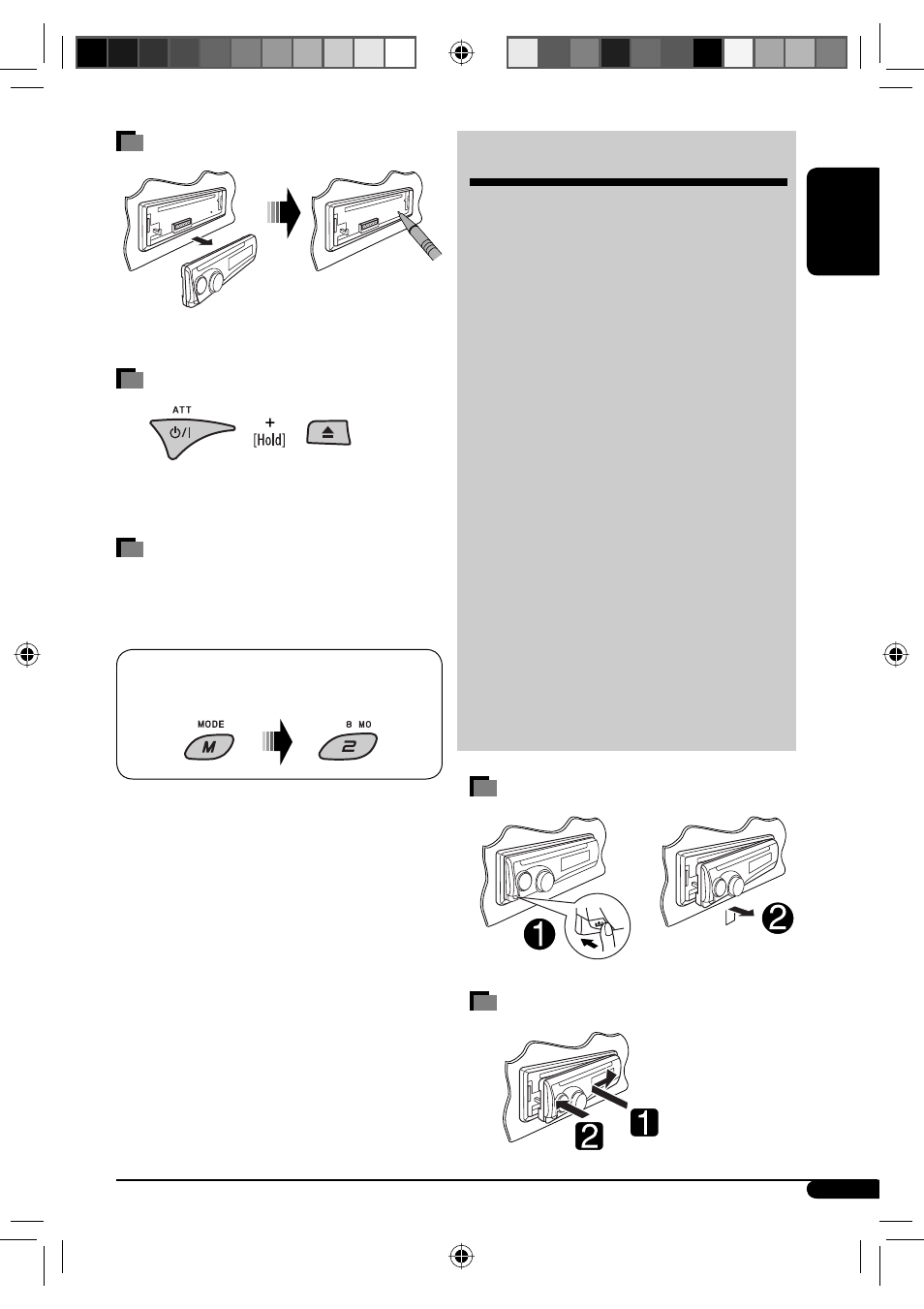
Detaching the control panel
Attaching the control panel
How to reset your unit
• Your preset adjustments will also be erased.
How to forcibly eject a disc
• Be careful not to drop the disc when it ejects.
• If this does not work, reset your unit.
How to use the M MODE button
If you press M MODE, the unit goes into functions mode,
then the number buttons and
5/∞ buttons will work
as different function buttons.
Ex.: When number button 2 works as
MO (monaural) button.
To use these buttons for their original functions,
press M MODE again.
• Waiting for about 5 seconds without pressing any of
these buttons will automatically cancels the functions
mode.
EN02-07_KD-G447[EE]_2.indd 3
EN02-07_KD-G447[EE]_2.indd 3
10/24/07 2:02:15 PM
10/24/07 2:02:15 PM