Using auto setup, Optimizing the speaker setting for your, Listening room (ypao) – Инструкция по эксплуатации Yamaha RX-V465
Страница 20
18
En
This unit has a Yamaha Parametric Acoustic Optimizer (YPAO). With the YPAO, this unit automatically adjusts the
output characteristics of your speakers based on speaker position, speaker performance, and the acoustic characteristics
of the room. We recommend that you first adjust the output characteristics with the YPAO when you use this unit.
1
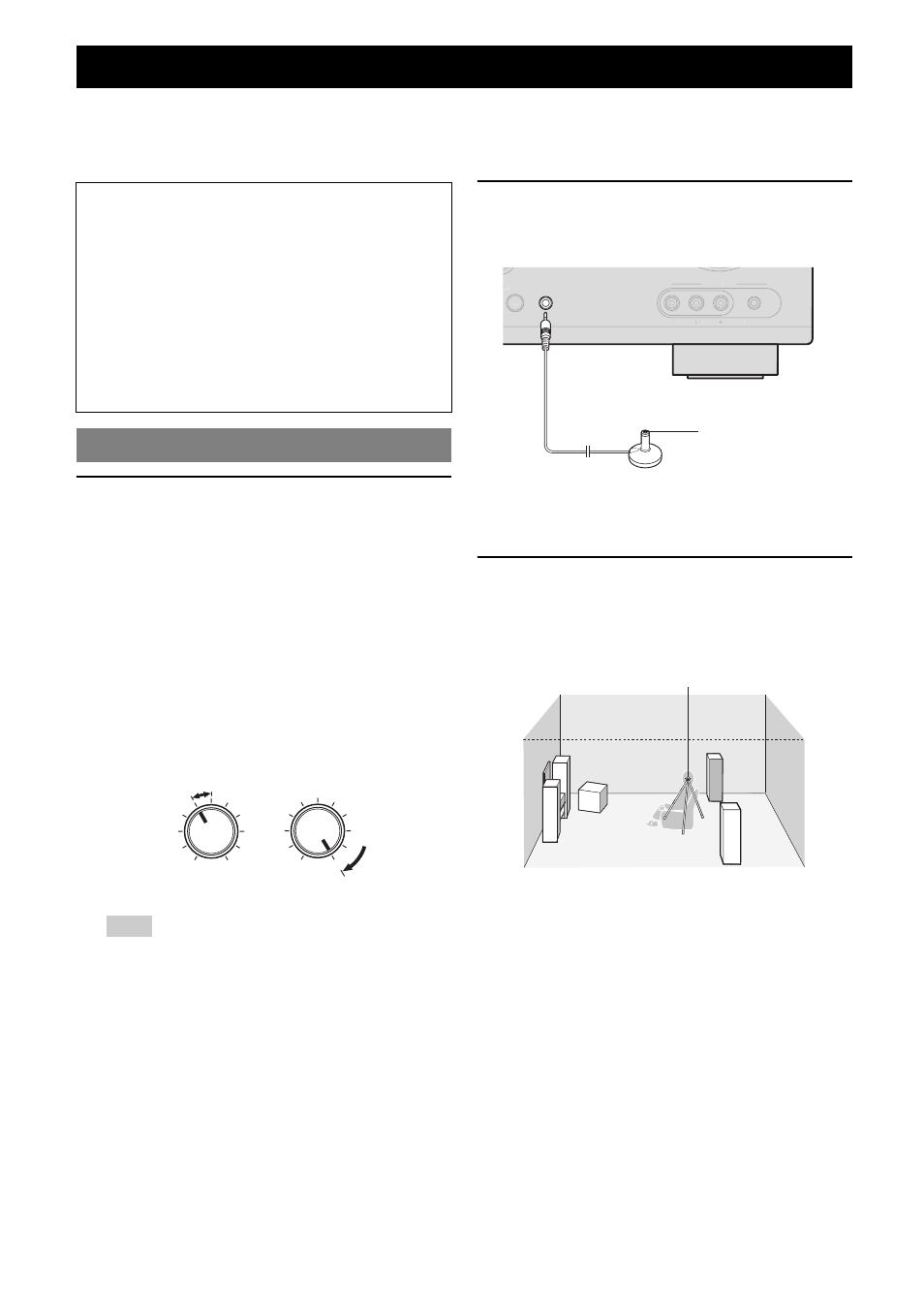
Check the following points.
Before starting the automatic setup, check the
following.
• All speakers and subwoofer are connected
properly.
• Headphones are disconnected from this unit.
• If the surround back speakers are connected to this
unit via an external amplifier, turn on the external
amplifier and adjust the volume to the proper level.
• The connected subwoofer is turned on and the
volume level is set to about half way (or slightly
less).
• The crossover frequency controls of the connected
subwoofer are set to the maximum.
Note
• If the volume of the external amplifier is not set at the proper level
while the surround speakers being connected, the surround back
speakers may not be recognized by the YPAO or a warning
message may appear.
2
Connect the supplied optimizer microphone
to the OPTIMIZER MIC jack on the front
panel.
“MIC ON. YPAO START” appears on the front panel
display.
y
• You can bring up the “Auto Setup” from the setup menu (see page 41).
3
Place the optimizer microphone at your
normal listening position on a flat level
surface with the omni-directional
microphone heading upward.
y
• It is recommended that you use a tripod or something similar to fix the
optimizer microphone at the same height as your ears would be when
seated in your listening position. You can fix the optimizer microphone to
the tripod with the attaching screw of the tripod.
Optimizing the speaker setting for your listening room (YPAO)
Notes
• Be advised that it is normal for loud test tones to be
output during the “Auto Setup” procedure. Do not
allow small children to enter the room during the
procedure.
• To achieve the best results, make sure the room is as
quiet as possible while the “Auto Setup” procedure is
in progress. If there is too much ambient noise, the
results may not be satisfactory.
y
• See page 41 for the “Manual Setup” procedure.
Using Auto Setup
VOLUME
MIN
MAX
CROSSOVER/
HIGH CUT
MIN
MAX
Subwoofer
UT
VIDEO
AUDIO
PORTABLE
VIDEO AUX
h
OPTIMIZER MIC
Optimizer microphone
Optimizer microphone