Cd drive, Odd, optional), Inserting and ejecting a cd – Инструкция по эксплуатации Samsung NP-R428I
Страница 43
1-43
En
gli
sh
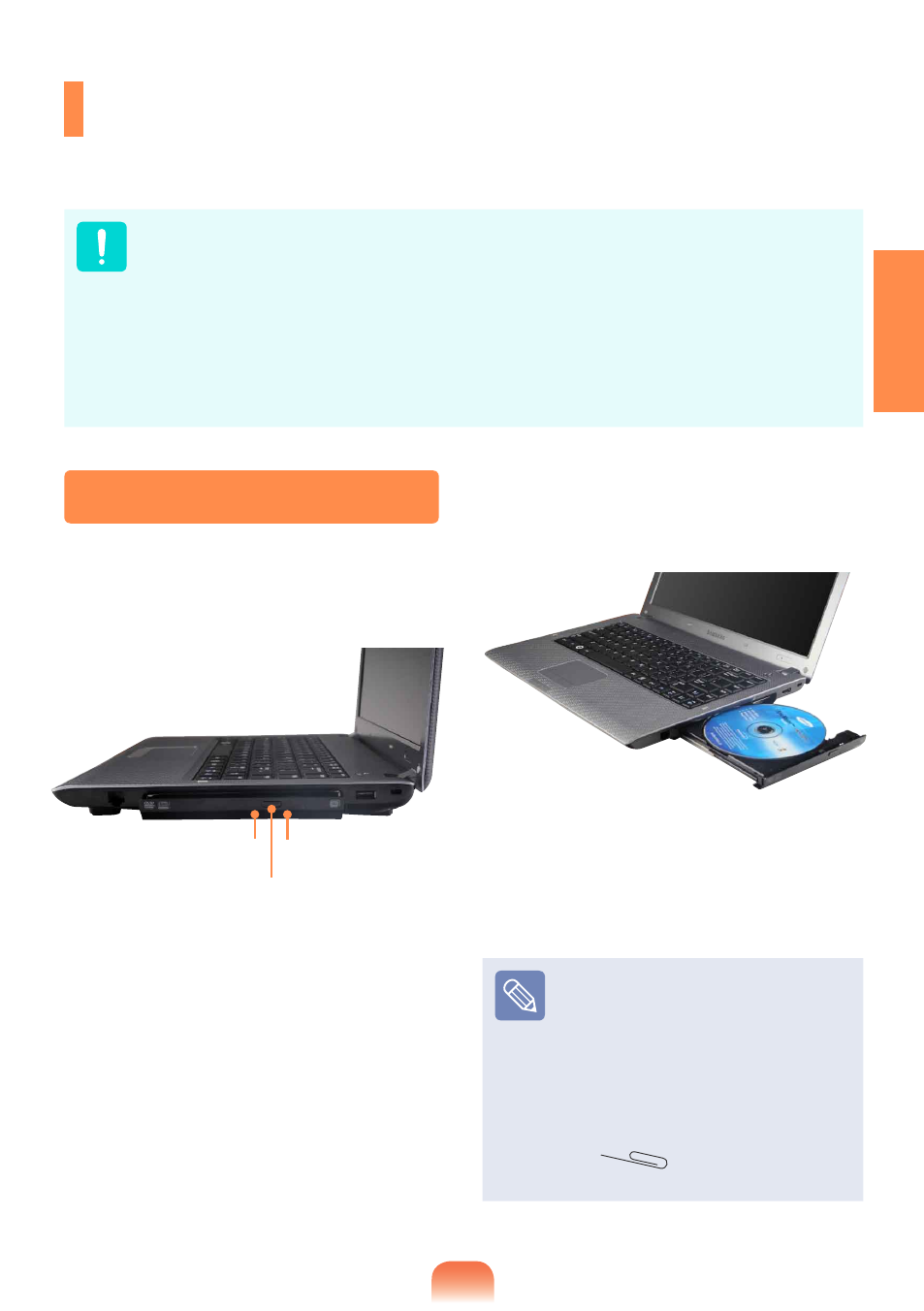
Status Indicator
Eject Button
Emergency Hole
CD Drive
(ODD, Optional)
An optical disk drive is optional and may differ depending on your computer model.
For detailed specifications, refer to the catalogue.
Do not insert a cracked or scratched CD.
Otherwise, the CD may break and damage the optical disk drive when the CD rotates
at a high speed.
When you clean a CD or DVD title, wipe with a soft cloth from inside to outside.
Do not eject a CD when the CD operating LED is on.
The figures used for the description are of a representative model. Therefore the
figures may differ from the real ones.
Using a CD that is not in the shape of a circle is not recommended.
1
Press the Eject button of the optical
disk drive at the side of the computer.
2
When the CD tray opens, insert a CD or
DVD and push the tray in until it clicks.
3
Push the CD tray inward until it clicks.
The CD drive status indicator is turned
on.
A CD drive’s reading and writing
speed may differ depending on
the condition and type of the
media.
To eject a CD when the CD
drive does not work or the
computer is off, place the end of
a paper clip
(
) into the Emergency
Hole until the CD tray is ejected.
Inserting and Ejecting a CD