39 en gli sh – Инструкция по эксплуатации Samsung NP-R428I
Страница 39
1-39
En
gli
sh
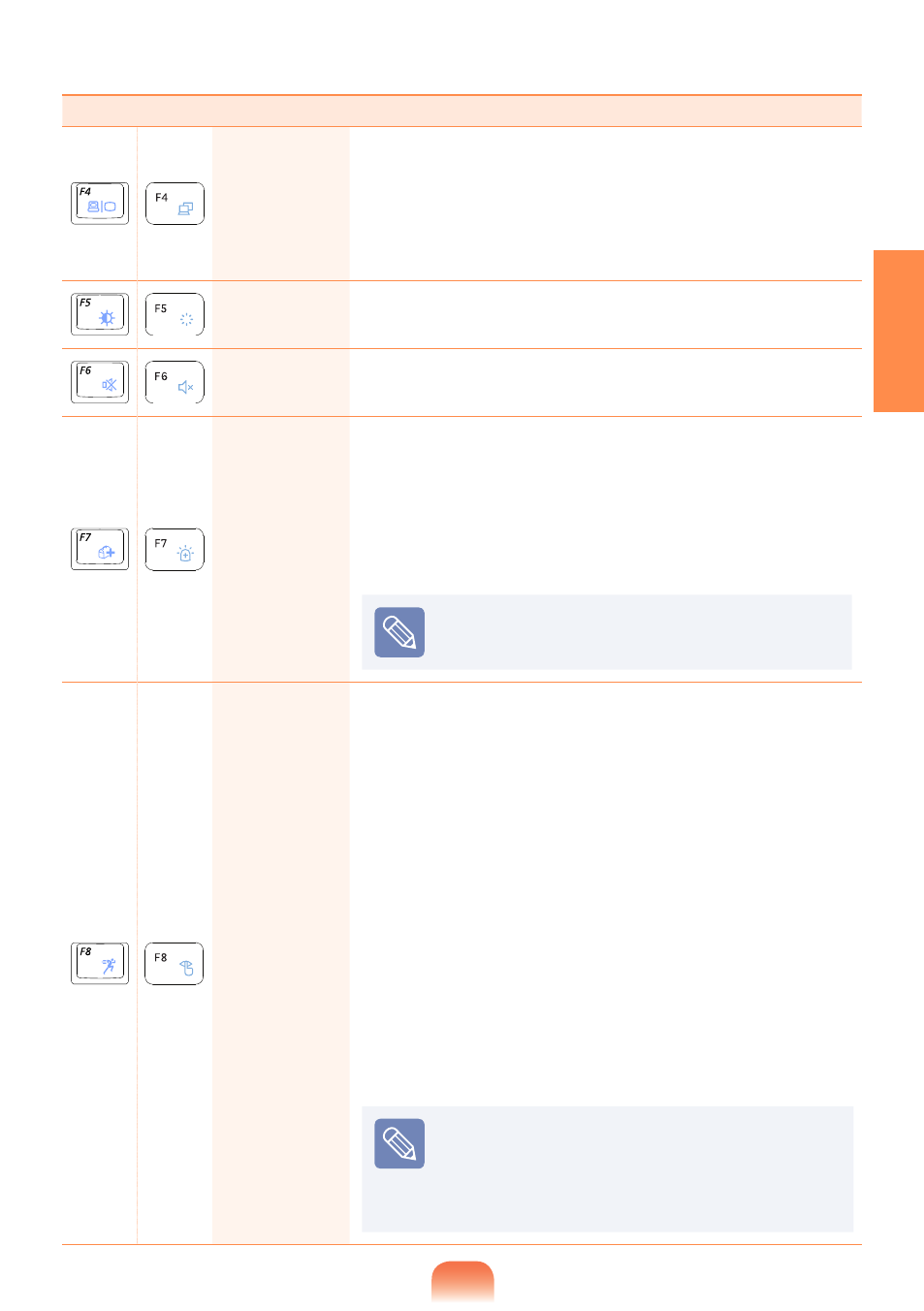
Fn+
Name
Function
CRT/LCD
Switches the screen output to the LCD or external monitor
when an external monitor (or TV) is connected to the
computer.
You can only use this function after installing Windows XP/
Windows Vista/Windows 7 and installing the
Easy Display
Manager program with the system software media disk.
Backlit
You can turn the LCD on or off after installing Windows XP/
Windows Vista/Windows 7.
Mute
You can turn the sound on or off after installing Windows
XP/Windows Vista/Windows 7.
Samsung
Support
Center
System diagnosis, recovery and Internet consultation
program, Samsung Support Center, will be launched.
(Optional)
You can only use this function after installing Windows
XP/Windows Vista/Windows 7 and installing the
Samsung
Magic Doctor program with the system software media disk.
(Optional)
For some models,
Samsung Magic Doctor is
launched.
Easy
SpeedUp
Manager
You can select operation mode when you need maximum
system performance or low-noise/low power consumption
with one-click.
You can only use this function after installing Windows XP/
Windows Vista/Windows 7 and installing the
Magic Keyboard
program with the
system software media disk.(Only for XP)
Silent: Low-noise and low power consumption mode
Normal: Normal Mode
Speed: Maximum performance mode. The system
operates in its maximum performance, and system
resources are allocated to the currently active program
with priority for maximum performance.
Speed Boot: Quick booting mode. This mode enables
quick booting when the booting process has slowed down
because multiple programs have been installed. You can
boot up the computer more quickly by setting the time to
execute the SW in the Advanced menu.
If you don’t want fan noise turning ON and OFF
in the Silent mode, select the
Advanced menu >
Fan Silent Mode > Low in the BIOS Setup. The
fan keeps turning ON and works in Low noise
mode.