Keyboard, Shortcut keys – Инструкция по эксплуатации Samsung NP-R428I
Страница 38
1-38
Keyboard
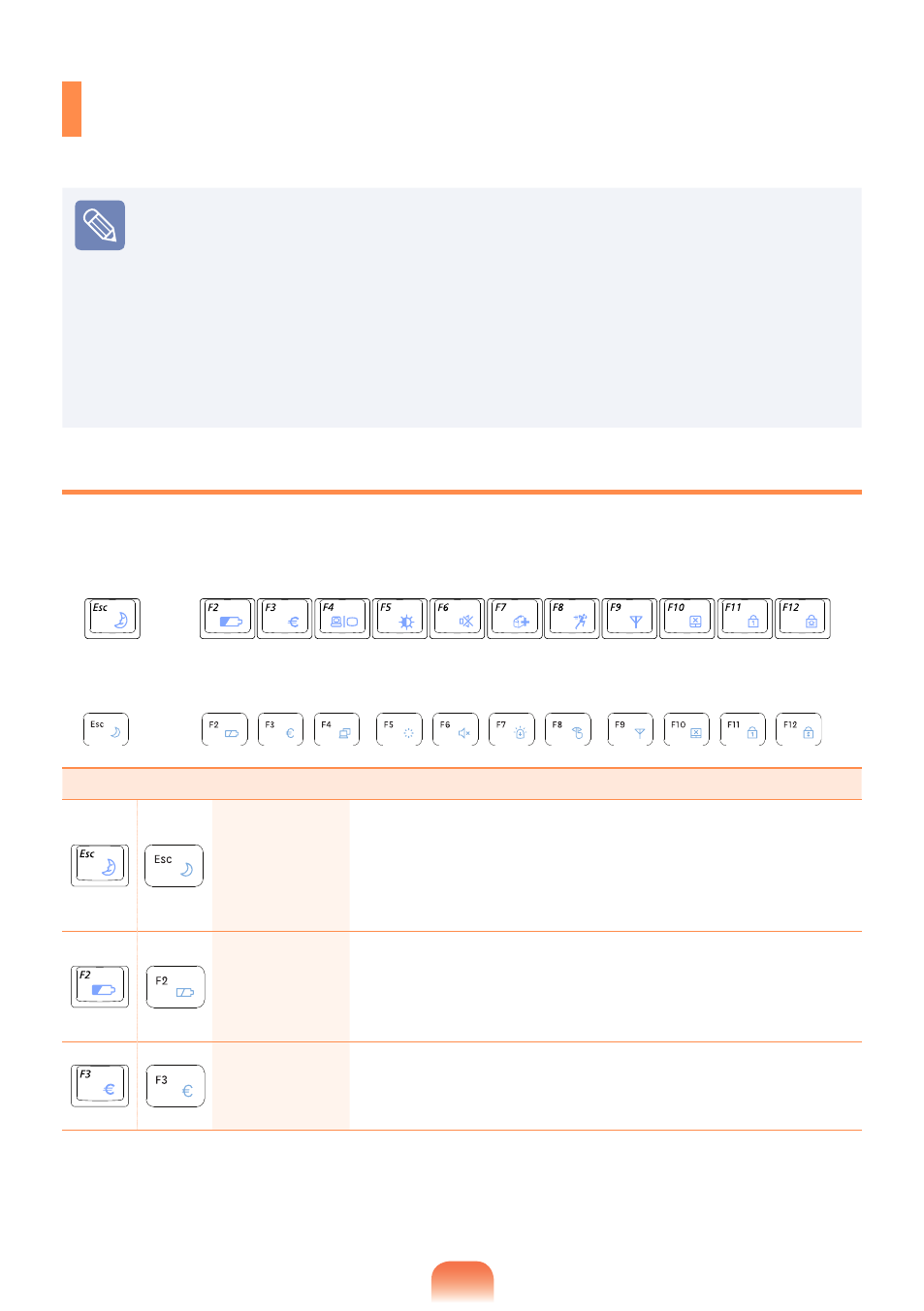
Shortcut key functions and procedures are discussed in the following sections.
The keyboard image may differ from the actual keyboard.
The keyboard may differ depending on your country. The following mainly describes
the shortcut keys.
Either type A or B is provided depending on the model.
You can only use the hot keys and the pre-determined shortcut keys (Windows key,
application key, volume key, etc.) after installing Windows XP/Windows Vista/
Windows 7.
Some model is not supplied System Software Media depending on your computer
model.
Shortcut Keys
You can use the following functions by pressing the keys below with the
Fn key.
Fn+
Name
Function
REST
(Sleep Mode)
Pressing the key switches the computer to power-saving
(Standby) mode. To use the computer in this state, press the
Power button.
You can use this button after installing Windows XP/Windows
Vista/Windows 7.
Gauge
Shows the remaining battery charge.
You can only use this function after installing Windows XP/
Windows Vista/Windows 7 and installing the
Easy Display
Manager program with the system software media disk.
Euro
Enters the Euro monetary unit symbol.
This key may not be provided depending on the keyboard
type.
► [Model A]
► [Model B]