Overview, Front view – Инструкция по эксплуатации Samsung NP-R428I
Страница 31
1-31
En
gli
sh
Front View
Overview
Before You Start!
Optional items may be changed or may not be provided depending on the computer
model.
The actual color and appearance of the computer may differ from the pictures used
in this guide.
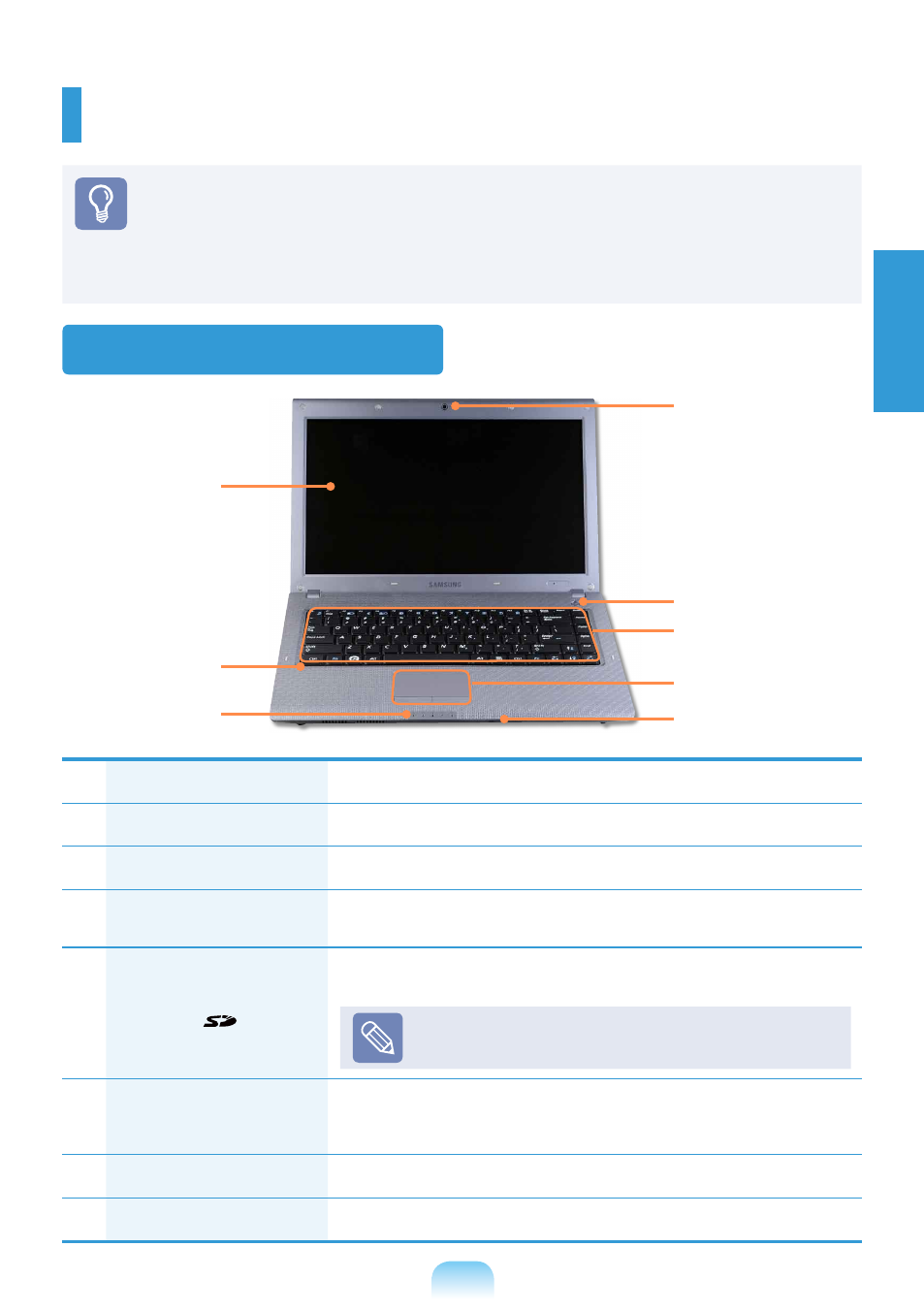
1
Camera Lens (Optional)
Using this lens, you can take still pictures and record video.
2
Power Button
Turns the computer on and off.
3
Keyboard
A device to enter data by pressing the keys.
4
Touchpad/
Touchpad Buttons
The touchpad and touchpad buttons provide functions similar to
the mouse ball and buttons.
5
Multi Card Slot
(Optional)
A card slot that supports SD Card, SDHC, MMC cards and SDXC
cards.
SDXC cards may not be supported depending on
the product specifi cations.
6
Status Indicators
Shows the operating status of the computer.
The corresponding operating LED is lit when the corresponding
function operates.
7
Microphone (Optional)
You can use the built-in microphone.
8
LCD
The screen images are displayed here.
1
3
2
8
4
6
7
5